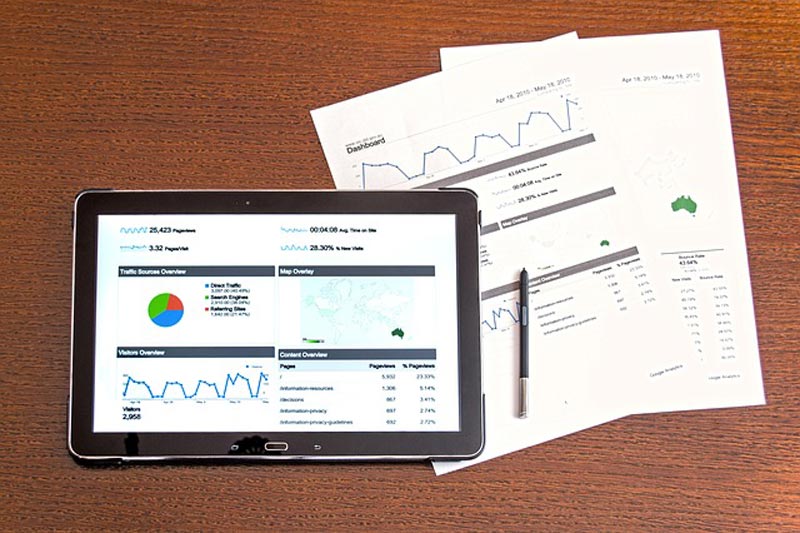
How Should I Use Google Analytics With My WordPress Site?
Although just a few years ago web designers were relatively uncommon, website creation and monetisation is quickly becoming an extremely competitive field. While a lot of people try and create their own WordPress websites with the idea of quick, easy money, most of them fail.
The most common reasons for failure are people not really knowing what they are doing and people ignoring crucial warning signs about their website. Google analytics is an extremely useful tool for web developers which can be used to provide insights into websites and their performance.
What exactly is Google Analytics?
Google Analytics is a freemium service provided by Google. It is designed to help you get the most out of your website by providing you with a wide range of insights into the performance of your website and the behaviours of your visitors. Some of the services that Google Analytics provides include:
- Online advertising campaign management. The Analytics platform allow you to see how visitors interacted with your Google Ads campaign, how successful your campaign was, and what campaigns worked best.
- Tracking visitor numbers. Analytics tells you how many people visit your website, where they come from, and what time of day they visit. Real-time monitoring is also possible, and tells you exactly who is on your website and where they are from.
- E-commerce reporting. If you run some sort of e-commerce store, then a few stats are going to be extremely useful when it comes to optimising your store. Google Analytics can give you information about the people who are shopping on your website and what they are buying.
Getting Started With Google Analytics:
If you have never used it before, it does take a little bit of time to set up a Google Analytics account. First, make sure that you have a Google account. If not, make one – you will need it. Once you are signed in, you need to navigate to the Analytics home page. You can either search for it, or find it on your Google homepage.
Once you are there, you will be prompted to enter information about your website to set up an Analytics account. After you have done this, you will need to copy and paste a small section of code into your website to tell Google that it belongs to you. If you aren’t fluent in code, this can be a bit daunting, but follow the instructions and you will be fine.
Using Analytics:
The way you use Google Analytics will depend on what you are trying to get out of it. The best thing that you can do is to sign up, link your website, and then spend a couple of hours playing with your Analytics dashboard. Customise your monitoring metrics to reflect the aims of your WordPress site, and try and learn more about the functions of Analytics every day!